Category Archives: Windows

HYPER-V AND VIRTULIZATION IN WINDOWS

Hyper-V Microsoft Hyper-V, codenamed Viridian and formerly known as Windows Server Virtualization, is a hypervisor-based virtualization system for x86-64 systems. Hyper-V exists in two variants: as a stand-alone product called Microsoft Hyper-V Server 2008, and as an installable role in Windows Server 2008 R2 and Windows Server 2008 (the former containing the later release of [...]

PRE-INSTALLATION STEPS BEFORE HYPER-V INSTALLATION

This post will help you go through a simple but elementary checklist of all the actions that you need to perform prior to installing the Hyper-V role on your Windows Server 2008 R2 machine. These are the settings and changes that need to be made prior to installing the Hyper-V role on your machine: Make [...]

INSTALLING HYPER-V

Installing Hyper-V on Windows Server 2008 R2 To install Hyper-V on Windows Server 2008 R2 you can use one of the following approaches. Note that all methods require a reboot after completion. Method #1 – Through the GUI Probably the easiest for this specific role. I would use this method. 1. Open Server Manager, wait [...]

LAUNCHING VIRTUAL MACHINES IN HYPER-V

Once you install the Hyper-V role on Windows Server 2008, a new console will be installed on your machine, and it is called the Hyper-V Manager. Everything related to Hyper-V is done using this MMC console. To open Hyper-V, click on Start > Administrative Tools > Hyper-V Manager The first time you open Hyper-V, an [...]

MIGRATION OF VM’S FROM VMWARE TO HYPER-V

CONVERTING VM IN VMWARE TO HYPERV   Performing a Virtual to Virtual Migration of Guest Images A strategy for migrating older images to Hyper-V is to do a virtual to virtual image migration.Via VMM, an administrator can select a running virtual machine (running VMware,XenServer, Virtual Server 2005, or the like) and choose to migrate the [...]

LINUX VIRTULIZATION AND MIGRATION OF VM’S IN LINUX HOST TO WINDOWS HOST

  Top 10 Linux Virtualization Software Virtualization is the latest buzz word. You may wonder computers are getting cheaper every day, why should I care and why should I use virtualization? Virtualization is a broad term that refers to the abstraction of computer resources such as: Platform Virtualization Resource Virtualization Storage Virtualization Network Virtualization Desktop [...]

Transparent Data Encryption In SQL Server 2008

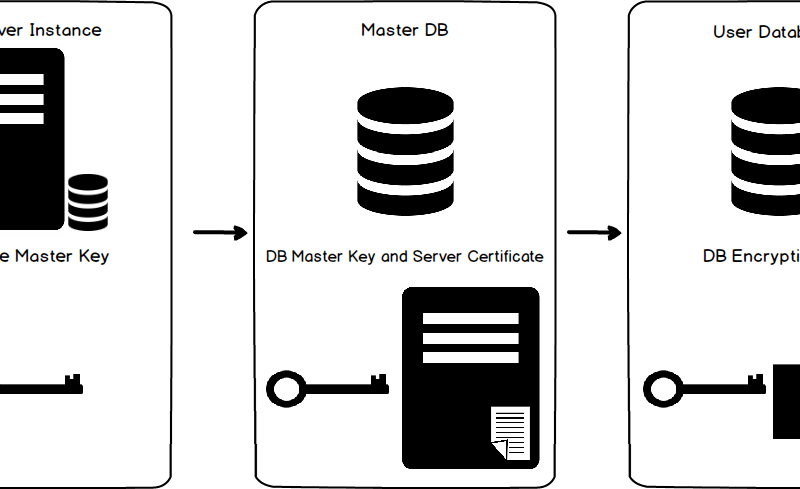
As a Database or System Administrator, security is one of the most important areas to consider when it comes to protecting the databases that you support. We use various mechanisms and technologies to secure our data and databases such as firewalls, certificates, and data encryption. Having said that although we have secured our environment, questions [...]

Windows Plesk Restoration: Restoring domains from a crashed hard drive

What if your Windows-Plesk server got crashed and surprisingly you see you don’t have a plesk backup to restore. The only option remain then is to copy the plesk database, domains data, mail data, configurations,mysql databases,mssql database manually from the crashed hard drive. This article explains to how to recover data from a crashed windows-plesk [...]