Puppet Configuration Management Tool
Introduction
Puppet is a Ruby based Configuration Management System with client/server model and it was licensed under GPLv2 .It has one Master server puppetmasterd and all other machines are configured as puppet clients . We set every configuration at the puppet server and then push them to all clients which are connected to the master. The client puppet correctly apply the corresponding configurations at the client regardless of their platform difference.
Puppet is a gift to the server administrators who need to manage large number of systems with different flavors of Gnu/Linux systems ,Mac, Solaris and other Unix Based systems.If we are managing it via remote administration then it would be a headache to the administrator and if the systems are different then the complexity will increase. Some accidental configuration changes may cause problems resulting in inconsistency working of the server. If we are using the puppet for the configuration management then it will be an one time implementation of these configurations only at puppet server, then we just duplicate it on different puppet clients with out any delay.
Another power of the puppet is, it using a Declarative Language to define configuration settings at the puppet master server. This language includes all major high level language features like Functions, Conditional Statements, Inheritance and other OOPs concepts. This feature makes the Puppet configurations settings are more readable, reusable and consistent when we compared with other configuration management tools like Cfengine.
Working
Puppet master server hold all clients configurations, each client will contact the server via port 8140 (by default). The connection between server and client are encrypted. The client will generate a self signed key before it will connect to server and will submit this self signed key to the master server and get the verified key back, here master server acts like a Certification Authority. After this process client will establish a encrypted session with server ,and get the configuration settings, compile and apply it on client system. The client will show an error if there is any at the configuration definition when compiling. We can verify this at puppet server and client log file.
Here is the outline of puppet server and client Architecture
Installation
Before installing the puppet we need to setup some dependencies needed for puppet. First we need ruby with common library files(xml,ssl,etc.) installed, and facter, its an another ruby project to get all system informations, facter will be installed in all puppet clients. The puppet server get the client configuration settings and other system specific informations from the facter.
You can use the ruby’s inbuilt library management tool rubygem(rake) similar to CPAN for Perl to solve the dependency problems with libraries.
facter installation :-
Get latest version from www.reductivelabs.com
tar -zvf facter-<version>.tar.gz cd facter ruby install.rb facter --version
puppet installation :-
If we are installing from the package manager there will be two packages, puppetd as the client and puppet-master as the puppet server, we need to install them both to setup client and server. If we are install form the source we can install both from the source code.
download latest package from the www.puppetlabs.com, then similar to facter installation,
tar -xzvf puppet-<latest version>; cd puppet-<latest-version>; ruby install.rb
This step will install the required packages for the puppet client and server. If you have any dependency problem then it will be most of the time due to the version mis match problem between ruby/puppet/facter, so select the version accordingly to avoid these types of errors.
By default the configuration files are listed under /etc/postfix and all others are at /var/lib/puppet folder including log files.
Currently puppet support all major Unix like systems but not Windows.The latest versions of the puppet has introduced support to the windows systems too, by developing Windows specific facter tool to get Windows system informations and puppet.
How to configure Puppet server :-
After Successful installation of puppet master server and client, there will be set of daemons associated with this package, it also provide commands line utility to manage these daemons. They are,
puppetmasted #Puppet Master Server puppetd #puppet Client. puppetca #Key management daemon #and Set of other Utility commands.
The puppet server will work with out creating configuration files explicitly, they are already pre-configured with corresponding daemons. But to start the interaction with client we need to do some changes. Before that we can check the structure of the configuration file of the puppet.
It good practice using explicit configuration file,the latest versions of puppet using single configuration file to manage every daemons. By default configuration files are comes under /etc/puppet. The file /etc/puppet/puppet.conf is the file where we store all the configuration details major daemons, puppet.conf using special type of configuration structure to include all daemons configuration details. It holds following parts,
#Cat /etc/puppet/puppet.conf [main] Here We specify Set of configurations default to all daemons. [puppetmasterd] Here comes the puppet master servers specific configuration details. [puppetd] To include the Puppet client configuration. [puppetca] Configuration details of puppet key management tool.
To get all the parameters under each daemon and main section with its functional details, please refer this page
How to Configure Puppet Client With Puppet Server
To setup a client we just have to install the puppet client version or every package in another system. Your master server is now capable to work as a puppet client too. At the master server we need to specify the set of configuration that we want enforce it with our puppet client.
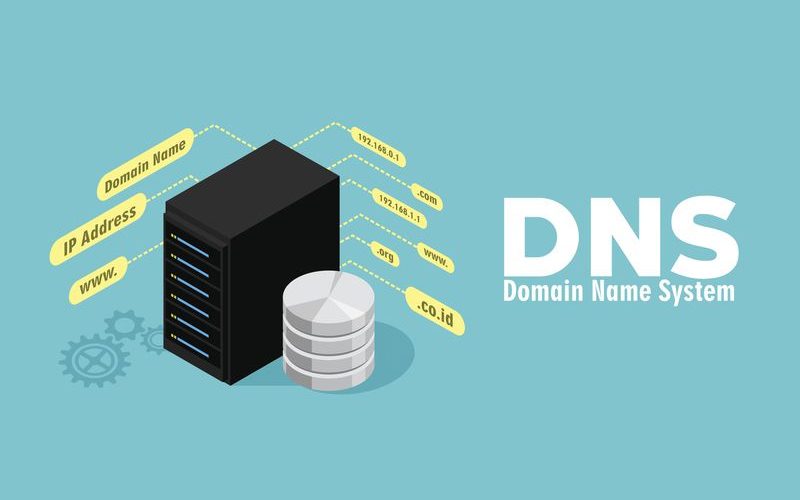
Puppet server and client using Hostname to communicate with each other and also used it with key generation and signing, so we need a stable hostname resolution system (DNS or Local settings) in our network to ensure the proper connection between client and server.Then after that properly select the hostname to your server and clients like,
puppet-server.com #For your Master Server
puppet-client1.com,puppet-client2.com,etc... #Your clients.
After this correct hostname allocation we need to start the server and client.Use command line options at first to know the correct interaction between client and server.
To start master server :-
puppetmasterd --no-daemonize --logdest console
Then Start the puppet Client, specify the server name
puppetd --server puppet-server.com --verbose --waitforcert 30
At the client side we will get following message with the information about the creation of self signed key and waiting for the verification from server.
<em>Creating a new SSL key for puppet-client.com Creating a new SSL certificate request for puppet-client.com Certificate Request fingerprint (md5): 37:89:4E:86:C0:A7:5B:24:1A:E2:9B:85:83:90:0F:CE Did not receive certificate</em> <em>
At same time server side we will get the following message at the console.
notice: Starting Puppet master version 2.6.0 notice: puppet-client.com has a waiting certificate request
So at the server side we need to verify this key from the puppet-client.com. For that we can use the key management tool puppetca.
puppetca --list #To list the unverified requests. puppetca --sign puppet-client.com # To complete the server verification.
Now If we are restarting the puppet client with following command, you can see the client will immediately apply the configurations. You can check this from the log file or from the console if you are running the client none daemonize mode.
puppetd --server puppet-server.com
Note:- If we are specify these settings at puppet.conf then you can just type the command without any parameter to start appropriate daemons.
The Configuration Management
Last and very powerful feature of the puppet is the creation of Client configuration specifications. For that puppet using one Language which support most of the high level language constructs like OOPs. So lets check for the one simple configuration which change the permission of /etc/passwd file of all the client connected with server to 640 and ensure the apache webserver.
These configurations specifications are defined under a file “/etc/puppet/manifests/site.pp” ,default file , we can split it in to several files then include them at sites.pp.
Here is the sample site.pp file.
file { "password":
name => "/etc/passwd",
owner => "root",
group => "bin",
mode => 644,
}
class apache {
package { httpd: ensure => installed }
service { "httpd":
name => $operatingsystem ? {
debian => "apache2",
redhat => "httpd",
default => "apache",
CentOS => "httpd",
},
ensure => running,
require => Package["httpd"],
}
}
node 'puppet-client.com' {
include apache
}
#All other nodes which are not defined and matched with any definitions ,will use the follwing node definition.
node default {
case $operatingsystem {
CentOS: {include apache }
default: {}
}
}
Above file is the Puppet configuration specification written in puppet declarative language.
Language have lot of constructs to define the resource and its properties …
more about it soon….