Archive

Author Archive

Install chrome on Linux

January 19th, 2010

Guys,

You wanna try out chrome ? Please follow these simple steps and you will have your chrome ready to take off..

You should login as root and execute the following steps


cd /usr/local/
wget http://sparksupport.com/downloads/chrome.tar.gz
tar -zxf chrome.tar.gz
rm -f chrome.tar.gz
ln -s /usr/local/chrome/chrome-wrapper /usr/bin/chrome

Press Alt + F2, enter chrome. N’joy :-)

VN:F [1.9.1_1087]
Rating: 8.3/10 (6 votes cast)
VN:F [1.9.1_1087]
Rating: 0 (from 0 votes)

Sai Kottuvally linux , ,

Apache suEXEC: Configuring, Installing and Testing suEXEC

November 16th, 2008

Apache comes bundled with its own security wrapper application called suEXEC. SuExec is a security mechanism for wrapping dynamic content (SSI & CGI) – content displayed based on user input and scripts executed. Normally, when a CGI or SSI program executes, it runs as the same user who is running the web server. suEXEC allows users to run CGI and SSI programs as the owner of the site as opposed to the owner of the httpd process ( usually “nobody” ).

Here’s how suEXEC works. When a request is made for a CGI or SSI file not owned by “nobody”, the request is passed to suEXEC along with the program name and the owner’s user/group ID. suEXEC then runs a series of checks to ensure the request is valid. If it is, the script is executed. If the request fails any of the checks, the script is not run and an error is logged.

The suexec wrapper isn’t turned on or off by any particular Apache directive setting. Instead, when the Apache server is compiled, one of the constants set (SUEXEC_BIN) is a string pointing to the location of the suexec binary. When the server starts, it looks for the binary at that location; if it’s found, suexec is enabled — otherwise it isn’t.

Installing and Compiling apache with suexec

Download your apache source from http://www.apache.org/


wget http://apache.downlod.in/httpd/apache_1.3.37.tar.gz

Unpack it


tar -zxf apache_1.3.37.tar.gz

Configure apache with your favourite options. The options enable, caller=nobody, docroot=/usr/local concerns with suexec.


cd apache_1.3.37

./configure  --enable-module=most  --with-layout=Apache  --prefix=/usr/local/apache

--with-port=80 --enable-suexec  --suexec-caller=nobody --suexec-docroot=/usr/local

If you want to change the location of the suexec binary, you can do so by adding a new definition of SUEXEC_BIN to the compilation flags:


env CFLAGS="-Wall -DSUEXEC_BIN=\"/usr/local/apache/suexec\"" \

> ./configure --enable-suexec ...

Checking your suEXEC setup

Before you compile and install the suEXEC wrapper you can check the configuration with the –layout option.

Example output:


    suEXEC setup:

            suexec binary: /usr/local/apache/sbin/suexec

            document root: /usr/local/apache/share/htdocs

           userdir suffix: public_html

                  logfile: /usr/local/apache/var/log/suexec_log

                safe path: /usr/local/bin:/usr/bin:/bin

                caller ID: www

          minimum user ID: 100

         minimum group ID: 100

When configuration is all done, Install it


make

make install

Disabling suexec

If your Apache installation is currently suexec-enabled, it’s very simple to turn the wrapper off. Just do one or more of the following to the suexec binary:

*Clear the setuid bit
*Change the owner to be someone other than root
*Delete or rename it

and then restart the Apache server. Doing any one of these will render the suexec facility unusable, and Apache won’t even try to involve it. To verify that your action has had the desired effect, verify (if you’re running Apache 1.3.11 or later) with the “/usr/local/web/apache/bin/httpd -l” command. If the output says suexec is enabled, you haven’t done enough yet.

Since the point of suexec is to handle certain Web requests under a different identity than the Apache server user, there needs to be some way to specify just which user. There are two places from which Apache will draw this information:

*The username from URLs such as http://somehost.com/~username/foo.cgi

OR

*The User and Group directives in the server configuration file, httpd.conf

The username to use is determined by checking these in the above order.

Testing Your Installation

The simplest way to verify that suexec is functioning properly is to install a script that will tell you the username under which it’s being invoked.
Here is a sample script – test.cgi


#!/bin/sh

echo "Content-type: text/plain"

echo ""

echo "Username="\`whoami\`

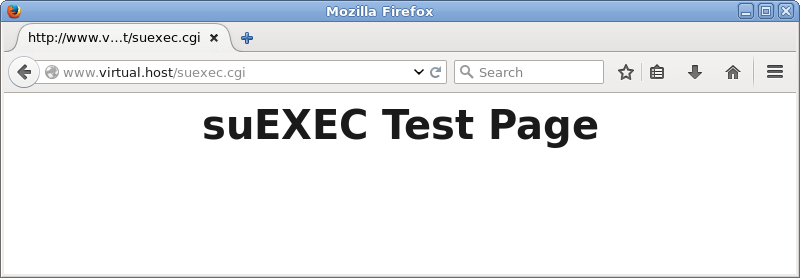
To test that suexec will properly handle a CGI script in a user’s directory, copy your test.cgi script into that user’s public_html/ directory, make sure that both the script and the public_html/ directory itself are mode 755 and owned by the user, and then request the script with a URL such as . If you get an error page, look at the Apache and suexec logs.

Debugging

Debugging a suexec problem can be frustrating, particularly since almost any problem with a CGI script in a suexec-enabled environment turns out to be related to the wrapper.

The typical warning signal of a suexec problem is a request for a CGI script that results in a ‘500 Internal Server Error’ page. The real error message will be found in your suexec log – /usr/local/apache/logs/suexec_log ( which may vary according to the configuration you used)

Best of Luck !! :)

VN:F [1.9.1_1087]
Rating: 0.0/10 (0 votes cast)
VN:F [1.9.1_1087]
Rating: 0 (from 0 votes)

Sai Kottuvally Articles, linux ,

MySQL Server Clustering:Replicating mysql databases using clustering technique

April 11th, 2007

A realtime experience that depicts MysQl Replication

Install mysql in both machines. The first machine will act as Master 1 and Slave 2 M1/S2 with ip (10.0.0.1) and the second will act as Slave 1 and Master 2 S1/M2 (10.0.0.2)

Plan out which all database you want to replicate and which all you want to ignore. Synchronize both database in master and slave using rsync first. If its brand new machines then create databases in both machines, as replication doesn’t mean that if you create a database in the master it will automatically get created on the slave. It will replicate only the data inside the databases.

In the master M1 open my.cnf and add the following entries under [mysqld] section.


server-id =1 #this value should be unique

log-bin=db-bin

relay-log=db-relay-bin

binlog-do-db=shijil #database that needs to be replicated

binlog-ignore-db=mysql #database that doesn't needs to be replicated

auto_increment_increment=2  #This is added in order to avoid collision with slave

auto_increment_offset=1

Now in M1 create a user replication such that S1 have the privilege to access all the databases of M1


mysql> GRANT ALL PRIVILEGES ON *.* TO REPLICATION@'10.0.0.2' IDENTIFIED BY 'pass1';
Restart the master mysql
/etc/init.d/mysqld restart
Enter the mysql prompt and issue the command
mysql>show master status \G;

The output will be something like below


show master status \G;

*************************** 1. row ***************************

File: db-bin.000001

Position: 220159222

Binlog_Do_DB: shijil

Binlog_Ignore_DB: mysql

1 row in set (0.00 sec)

ERROR:

No query specified

************************************************

Now in the S1 10.0.0.2 open its my.cnf and add the entry under [mysqld] section


server-id=2

master-host = 10.0.0.1

master-user = replication

master-password = pass1

master-port = 3306

It is also good to add the host entries from mysql command prompt and it should be like this


mysql> CHANGE MASTER TO

->MASTER_HOST='10.0.0.1',

-> MASTER_USER='replication',

-> MASTER_PASSWORD='pass1',

-> MASTER_LOG_FILE='db-bin.000001' ;

Remember the master log file is the same as the output shown by show master status \G; in the master server.


mysql> start slave ;

mysql> show slave status \G;

If there is no errors and the entries below

Slave_IO_Running: Yes

Slave_SQL_Running: Yes

are both showing Yes then you are good to go. Also check the mysql log file and make sure it is connected to master.

Phase II

Now we are going to setup the Slave as Master2 M2 (10.0.0.1) and Master as S1 (10.0.0.1)
Again open my.cnf and add the entries under [mysqld] section


log-bin=db-bin

relay-log=db-relay-bin

binlog-do-db=shijil #database that needs to be replicated

binlog-ignore-db=mysql #database that doesn't needs to be replicated
auto_increment_increment=2

auto_increment_offset=2

and create a user replication so that S2 (10.0.0.1) will have all the privilege to access all the database in M2 (10.0.0.2)
mysql> GRANT ALL PRIVILEGES ON *.* TO REPLICATION@'10.0.0.1' IDENTIFIED BY 'pass2';
Now restart the mysql in s2
/etc/init.d/mysqld restart
Go to mysql prompt and issue the command;
show master status \G;

It will show the output as something like below


show master status \G;

*************************** 1. row ***************************

File: db-bin.000001

Position: 220153453

Binlog_Do_DB: shijil

Binlog_Ignore_DB: mysql

1 row in set (0.00 sec)

ERROR:

No query specified

************************************************

Now log into S2 and edit its my.cnf add the following entries


master-host = 10.0.0.2

master-user = replication

master-password = pass2

master-port = 3306

After saving it issue the command in mysql prompt


mysql> CHANGE MASTER TO

-> MASTER_HOST='10.0.0.2',

-> MASTER_USER='replication',

-> MASTER_PASSWORD='pass2',

-> MASTER_LOG_FILE='db-bin.000001' ;

mysql> start slave ;

mysql>show slave status \G;

Here there shouldn’t be any errors also check the log file and make sure it is connected to master.

Now create a table named epson in shijil in M1 and check for the table epson in S1.

Troubleshooting
If at all any errors stop both mysql servers and remove all the log files from /var/lib/mysql


rm -fv db-bin* master.info relay*

This should be done on both servers and then start Master first and then Slave.

VN:F [1.9.1_1087]
Rating: 0.0/10 (0 votes cast)
VN:F [1.9.1_1087]
Rating: +1 (from 1 vote)

Sai Kottuvally Articles, MySQL

Windows Plesk Restoration: Restoring domains from a crashed hard drive

March 2nd, 2007

What if your Windows-Plesk server got crashed and surprisingly you see you don’t have a plesk backup to restore. The only option remain then is to copy the plesk database, domains data, mail data, configurations,mysql databases,mssql database manually from the crashed hard drive.

This article explains to how to recover data from a crashed windows-plesk server.

I assume you are using plesk with mailserver as MailEnable.If you are using any other mailserver other MailEnable you have to follow their support sections to get the corresponding commands to restore the mail data’s.

Follow the steps to complete the recovery of domains from a crashed windows-server to a new server. Remember here is what you have

.a hard drive with a windows OS installed.
.the old crashed hard drive.

1) Find the version of Plesk the server had earlier:

Open the file “[Old drive]:\Program Files\Swsoft\Plesk\version” to know the plesk version you had installed.

2) Download the same version of plesk from swsoft.com and install it.


For Plesk 7 series ftp://download1.swsoft.com/Plesk/Plesk7/Windows

For Plesk 7.5.* series ftp://download1.swsoft.com/Plesk/Plesk7.5/Windows/

For Plesk 7.5.6 series http://www.swsoft.com/en/download/plesk75win/

Installation Instruction of plesk is out of scope of this article, please refer the swsoft installation manuall to know about it.

3) Obtain the old license key.

PSA key is stored in Registry. If only you have backup of the registry of old plesk, you will be able to obtain the key. Path to key in registry is:


HKEY_LOCAL_MACHINE\SOFTWARE\PLESK\PSA Config\PSA Key

[bash]

If you don't have registry backup, you should probably contact your NOC and ask them to get a renewed plesk license for your server.

<strong>4) Obtain old psa database.</strong>

If you have a psa backup in .sql format, restore it as "psa" database.

[bash]
>%NEW_plesk_bin%mysql -u admin -p"psa_password psa < psa_backup.sql

If you don’t have a plesk backup, copy the


%OLD_plesk_dir%/mysql/Data/psa as %NEW_plesk_dir%/mysql/Data/psa.

5) Now its time to use Plesk Reconfigurator Tool.

You can find it in the Start menu, under the swsoft–>plesk section. Plesk Reconfigurator creates the users and groups required for proper functioning of Plesk, Plesk services, and sets the proper security settings for files and folders created and used by the Plesk software.

Plesk Reconfigurator also checks and corrects permissions for the following folders


%plesk_dir%

%SystemRoot%\temp

%plesk_vhosts%

%plesk_vhosts%\default

%plesk_vhosts%\sqladmin

%plesk_vhosts%\webmail

%plesk_vhosts%\.skel.

Also, for folders %plesk_dir%, %SystemRoot%\temp permissions for their content are checked.

7) Now, we are going to restore VirtualHost,Database from old drive to the newly installed hard drive.


a)Copying VirtualHost directory.
>copy [Old_drive]:\inetpub\vhosts to [New_Drive]:\inetpub\vhosts\

b)Copying Databases.
>copy [Old_Drive]:\Program files\swsoft\plesk\Databases\mysql\Data 

                [New_Drive]:\Program files\swsoft\plesk\Databases\mysql\Data

8)Now, move to the following folder:


 >cd [New_Drive]:\%plesk_dir%\admin\
And run the command
>websrvmng.exe --reconfigure-all

This command will recreate the domains in IIS and Create DNS db files and will reset the permission of the virtualhost folders under each domains.
This will take some time. Now go and have a cappuccino with a sandwich and relax :)

All your VirtualHosts are now restored, 75% of your work is now completed.

19) Restoring the Mail accounts.

I suppose you have installed MailEnable as MailServer.

a) Copy the MailEnable PostOffices to the new server.

    >copy [Old_Drive]:\%plesk_dir%/MailServer/MailEnbale/PostOffice 

                [New_Drive]:\%plesk_dir%/MailServer/MailEnbale/PostOffice

b) Copy the MailEnable config folder to the new server.
    >copy [Old_Drive]:\%plesk_dir%/MailServer/MailEnbale/config 

                [New_Drive]:\%plesk_dir%/MailServer/MailEnbale/config

c) Use MEInstaller.exe
Run the MEInstaller.exe command to add all the MailEnable email accounts and set the mail folder permissions.
>cd [New_Drive]:\%plesk_dir%/MailServer/MailEnbale/Bin/

>MEInstaller.exe
VN:F [1.9.1_1087]
Rating: 10.0/10 (1 vote cast)
VN:F [1.9.1_1087]
Rating: 0 (from 0 votes)

Sai Kottuvally Articles, Windows