Archive

Archive for January, 2010

Install chrome on Linux

January 19th, 2010

Guys,

You wanna try out chrome ? Please follow these simple steps and you will have your chrome ready to take off..

You should login as root and execute the following steps


cd /usr/local/
wget http://sparksupport.com/downloads/chrome.tar.gz
tar -zxf chrome.tar.gz
rm -f chrome.tar.gz
ln -s /usr/local/chrome/chrome-wrapper /usr/bin/chrome

Press Alt + F2, enter chrome. N’joy :-)

VN:F [1.9.1_1087]
Rating: 8.3/10 (6 votes cast)
VN:F [1.9.1_1087]
Rating: 0 (from 0 votes)

Sai Kottuvally linux , ,

Hiring 3 – 5 yrs experienced MBA Marketing Candidates ( BDM)

January 13th, 2010

Business Development Manager:

We require experienced Business Development Manager for our Marketing Department for developing our clients overseas. Our top management team represents a skill set , which is mutually exclusive but collectively exhaustive.

Common requirements:

  • proactive attitude
  • consistent academic record
  • MBA ( Marketing)
  • should be a self starter and must be willing to work on complicated tasks.

Selection procedure:

  • Presentation on any topic given on the spot.
  • Final direct interview.

How to apply:

Send your resumes to careers at sparksupport.com with the Subject Line: Experienced BDM and a covering letter mentioning the reason for leaving the current job, when you can join our
organization and details of the current salary.

The openings are immediate and the candidates should be ready to join ASAP.

VN:F [1.9.1_1087]
Rating: 7.3/10 (4 votes cast)
VN:F [1.9.1_1087]
Rating: +3 (from 5 votes)

Nisha Ajil Recruitment

Hiring Experienced MBA marketing candidates (BDO)

January 13th, 2010

Business Development Officers:

We are now hiring Experienced MBA marketing candidates for our marketing department into our new project of social media marketing making use of the cutting edge technologies. Social media marketing has tremendous growth opportunities in the field of Marketing and one can attain a promising and secured future here . Experience working in media field will be plus.

Common requirements:

  • proactive attitude
  • consistent academic record
  • MBA ( marketing)
  • should be a self starter and must be willing to work on complicated tasks.
  • winning instincts with good convincing skills

Selection procedure:

  • Written English Test
  • Presentation on any topic given on the spot.
  • Final Round of direct interview.

terms:

  • 6 months probation period
  • flat hierarchy
  • ample opportunities to grow
  • opportunity to grow with a growing start up organization

How to apply:

Send your resumes to careers at sparksupport.com with a Subject Line: MBA Experienced and a covering letter mentioning the reason for leaving the current job, when you can join our

organization and details of the current salary.

The openings are immediate.

VN:F [1.9.1_1087]
Rating: 7.8/10 (4 votes cast)
VN:F [1.9.1_1087]
Rating: +2 (from 2 votes)

Nisha Ajil Recruitment

Hiring experienced PHP Developers

January 13th, 2010

Developers:

We are looking for 1 – 3  Experienced PHP developers.

PHP developer requirements:

The candidates must have hands on experience in  PHP, HTML, CSS ,MySQL or PostgreSQL (LAMP stack) and should have minimum 1 year experience. Knowledge of Perl/Bash scripting will be an added advantage. So is the familiarity with Joomla, wordpress etc.

Common requirements:

  • proactive attitude
  • consistent academic record
  • BTech – ( CSE, ECE, IT, EEE ) / MCA
  • should be a self starter and must be willing to work on complicated tasks.
  • familiarity with software development process and QA

optional requirements:

  • RHCE / CCNA / MCSE
  • experience with any content managers like Joomla, Drupal or wordpress
  • familiarity with various FOSS development tools

selection procedure:

  • Technical Interview
  • Practical test where you will be given a programing task

terms:

  • 6 months probation period
  • flat hierarchy
  • ample opportunities to grow
  • opportunity to grow with a growing start up organization.

How to apply:

Send your resumes to careers at sparksupport.com with the subject line : PHP Experienced and a covering letter mentioning the reason for leaving the current job, when you can join our
organization and details of the current salary.

The openings are immediate .

VN:F [1.9.1_1087]
Rating: 8.3/10 (10 votes cast)
VN:F [1.9.1_1087]
Rating: +3 (from 3 votes)

Nisha Ajil Recruitment

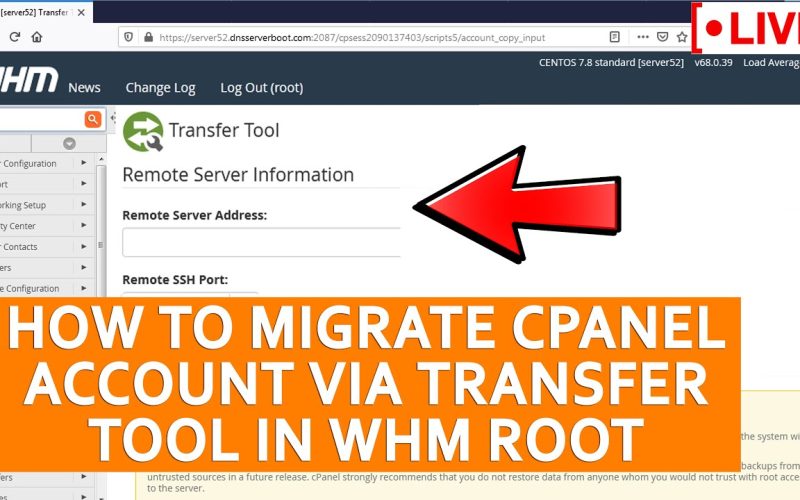
How to transfer / migrate Cpanel accounts

January 11th, 2010

There are four important steps we should follow when it comes to the transfer of cPanel accounts among different server.

Below a simple and brief description is given on how to perform the migration.

Steps to transfer cPanel accounts

  1. Change the $TTL of the zone in old server
  2. Transfer the accounts.
  3. Update the nameservers.
  4. Change the A record of the zone file in old server

1. Change the $TTL of the zone in old server

Before one week of the scheduled transfer, all the $TTL values in the zone file must be changed to a smaller value between 30 minutes to 1 hour. This will take some time to propogate  to various ISPs around the world. The change in $TTL value ensures that the fresh zone files are loaded all around the world faster and that they access the old server for a shorter duration.

2. Transfer the accounts

Transfer the account using whm. If the size of the account is more than of 300 mb then move the folder which is of larger size to another directory outside that account. Then create a symbolic link for that folder in the original directory. After the transfer of the account using whm, scp the moved folder to the new server.

Also rsync the following directories between the two servers.

  1. /var/cpanel
  2. /usr/local/cpanel

3. Update the nameserver

Change the ip address of the child nameserver at the domain registrar. There will be a propogation delay of almost 48 hours.

4. Change the A record of the zone file in old server

For the time of propogation delay the domain keeps resoling to old server.  To make it resolve to new server, change the A record in the zone files of the old server.

VN:F [1.9.1_1087]
Rating: 7.0/10 (3 votes cast)
VN:F [1.9.1_1087]
Rating: +1 (from 1 vote)

Mobin Skariya linux ,

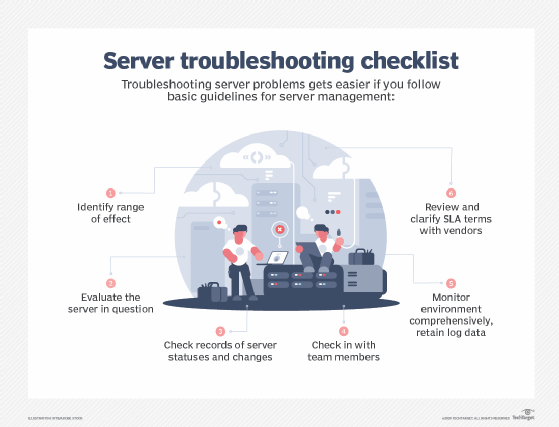
How to develop troubleshooting skills and become a good server admin

January 7th, 2010

10 points to increase troubleshooting skills and become a good Server Admin

1) Be clear with the concepts

You will be learning lot of things in random in your day-to-day work, but essentially what you need to remember are the basic concepts of each technology you have come across, starting from basic commands, services associated, the applications related, tools etc. Before you enter the system admin scenario, join the popular discussion boards, mailing lists relating to your domain. Believe me, a lot of quick tips can be gathered just by reading what others in the business have to say.

2) Build your knowledgebase

Its always good habit to write down somewhere whatever you have learned new in your days work. It would definitely come in handy in the future, cos you might have got it after rigorous research and you need not do it a second time. My notes that I always keep have saved me plenty of time for many of the issues that creep up. Also be willing to ask your peers or seniors or in the forums when you find yourself stuck, cos experience is one thing you can never garner in a little time. Remember, you can revert the favor when they look for you.

3) Try to relate with the technologies

In my early days I have wasted plenty of hours trying to find a fix without understanding the cause, but that has changed. You have to keep in mind that there will be some relation with services or applications you are working with. So if something not working it might be that of some other service that is related to it. Knowing which is causing the problem is the measure of your troubleshooting skill. So think cleverly and identify the possible causes. Read more…

VN:F [1.9.1_1087]
Rating: 9.2/10 (5 votes cast)
VN:F [1.9.1_1087]
Rating: +3 (from 3 votes)

Shijil T S troubleshoot ,

Fix for pecl.php.net is using a unsupported protocol error

January 5th, 2010

Sometimes you may get this error while you try to install php modules using pecl command. and you may get the error “pecl.php.net is using a unsupported protocal” .

In case you get this error, clear out the contents in /usr/local/lib/php/.channels and /usr/lib/php/.channels and run the command ‘pecl update-channels’ . That should fix the issue.

VN:F [1.9.1_1087]
Rating: 4.8/10 (4 votes cast)
VN:F [1.9.1_1087]
Rating: +1 (from 1 vote)

Prajath R linux

Cpanel backend files

January 5th, 2010

IMPORTANT CPANEL BACKEND FILES AND LOG FILES

/var/cpanel

accounting.log - Contains a list of accounting functions performed such as account removal and creation

cpanel.config – Tweak settings for whm can be done in this file

mainip – Main ip of the server is specified in this file

maxemail - Maximum emails per hour for a domain can be specified here The format is like the following domainname=number

Run the script /scripts/build_maxemails_config after editing this file This will create a file named after the corresponding domain name inside the directory maxemailsperdomain with the value specified in it.

Maxemailsperhour - Server wide maximum emails per hour can be set in this file. It applies to the whole domains in the server. You only need to insert the corresponding value in the file. A value of zero means unlimited.

Resellers-nameservers – This file gives you the name of the nameservers used by reseller users

resellers – This file lists the privileges of different reseller users

packages/ - This directory contains files for all the packages created under the WHM and the corresponding files will give all the details related to that package
Read more…

VN:F [1.9.1_1087]
Rating: 7.3/10 (3 votes cast)
VN:F [1.9.1_1087]
Rating: 0 (from 0 votes)

Tino Thomas linux , , , , , , ,